Ground
Control.
List it before
you leave the lot.
- Role
- Strategy, design & development
- Scope
- Inventory, sync & storefront
- Built for
- Inventory-based businesses
Inventory moves.
The website
should keep up.
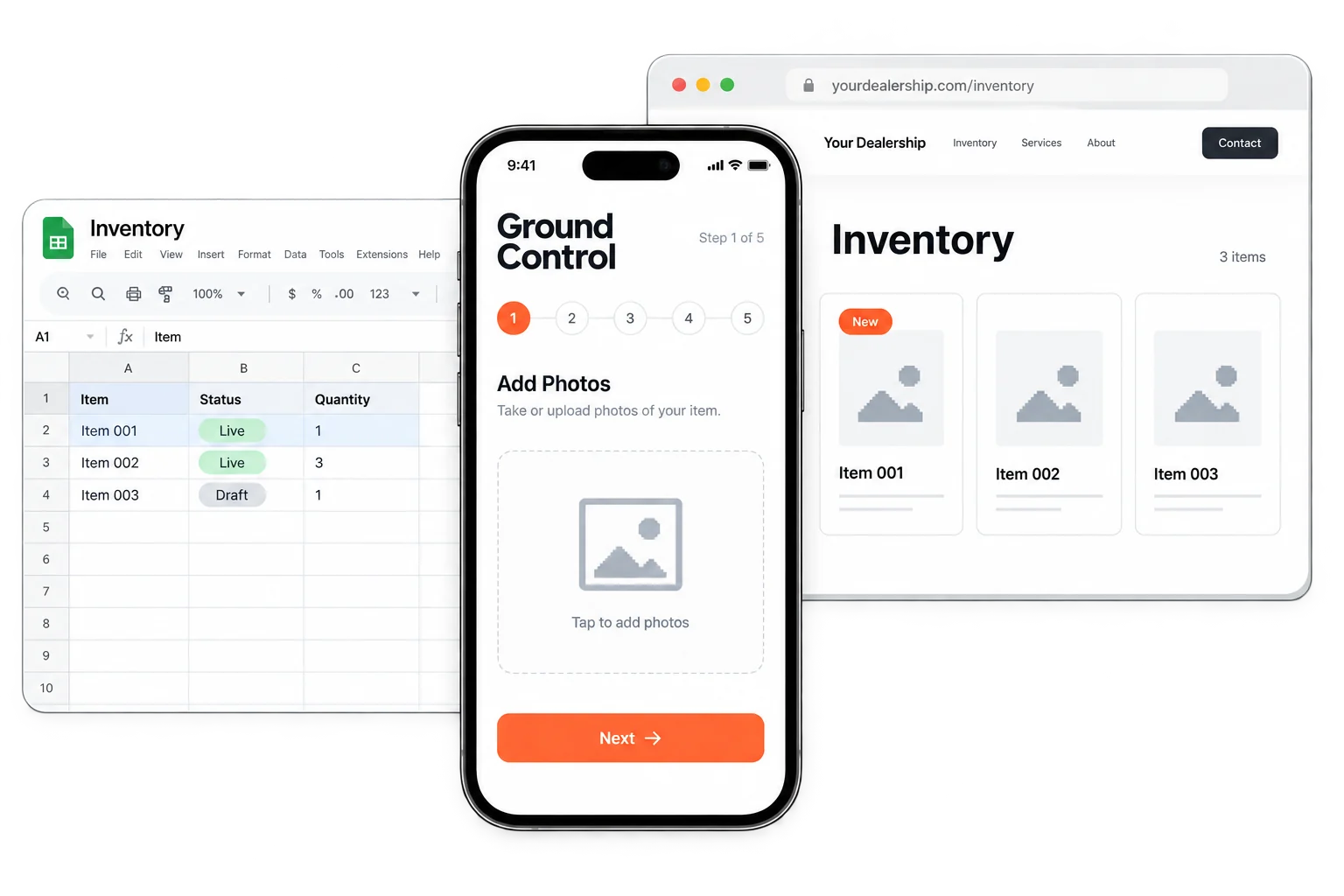
A product arrives. A vehicle sells. A price changes. The information starts where the inventory is, often with someone holding a phone. Getting it online shouldn’t become a separate office task.
I designed Ground Control to connect that moment to the rest of the business: a guided product wizard, a shared inventory record, and a storefront a buyer can act on.
Less distance between inventory arriving and a customer discovering it.
One guided flow.
From phone to website.
Do the update
where the work happens.
- 01 / Capture
Add it on the lot.
Take photos, confirm the product details, and review the listing from your phone.
- 02 / Sync
Keep one shared record.
Connect the inventory in Google Sheets with the website backend, including price and availability.
- 03 / Publish
Put it in front of a buyer.
Publish to your own storefront with the details a customer needs and a clear way to inquire.
See the workin motion.
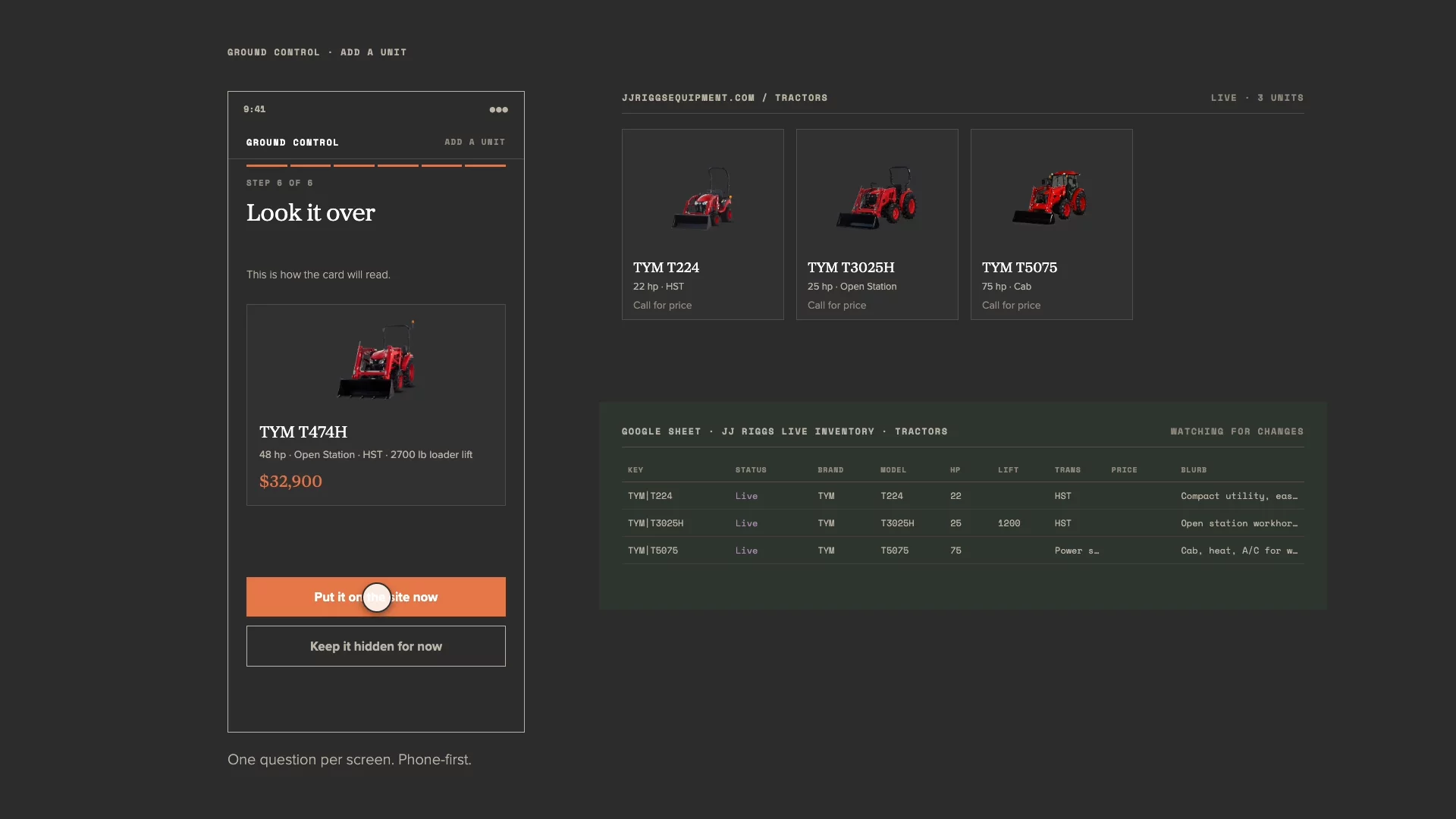
The inventory system, the sync, and the listing a buyer sees.
Open film ↗A small task.
A connected system.
The phone, the shared record, and the storefront work together. That connection is the product.
Make the workflow feel small.
The product wizard breaks the update into clear steps: photos, details, review, and publishing. The design goal is to get new inventory online and synced with Google in under 90 seconds.
Design the connections, too.
Google Sheets, the website backend, and the product listing need to agree. A shared inventory record gives photos, descriptions, prices, and availability a path through the system without repeated entry.
Let the inventory do more.
Motion Studio extends the same product information into marketing. Details seed branded video scenes that staff can review, refine, and export.
Start with a real business.
The first implementation was built for JJ Riggs Equipment in Colville, Washington. Real inventory and day-to-day updates shaped the product. The wider application is an inventory system for equipment, vehicles, and other high-value goods.
Explore the equipment example ↗